
Your marketplaces,
in one loop.

Connect Tradera and eBay to Qasell. Listings, sales and fees come in by themselves, so you do not type them in.

See how it works
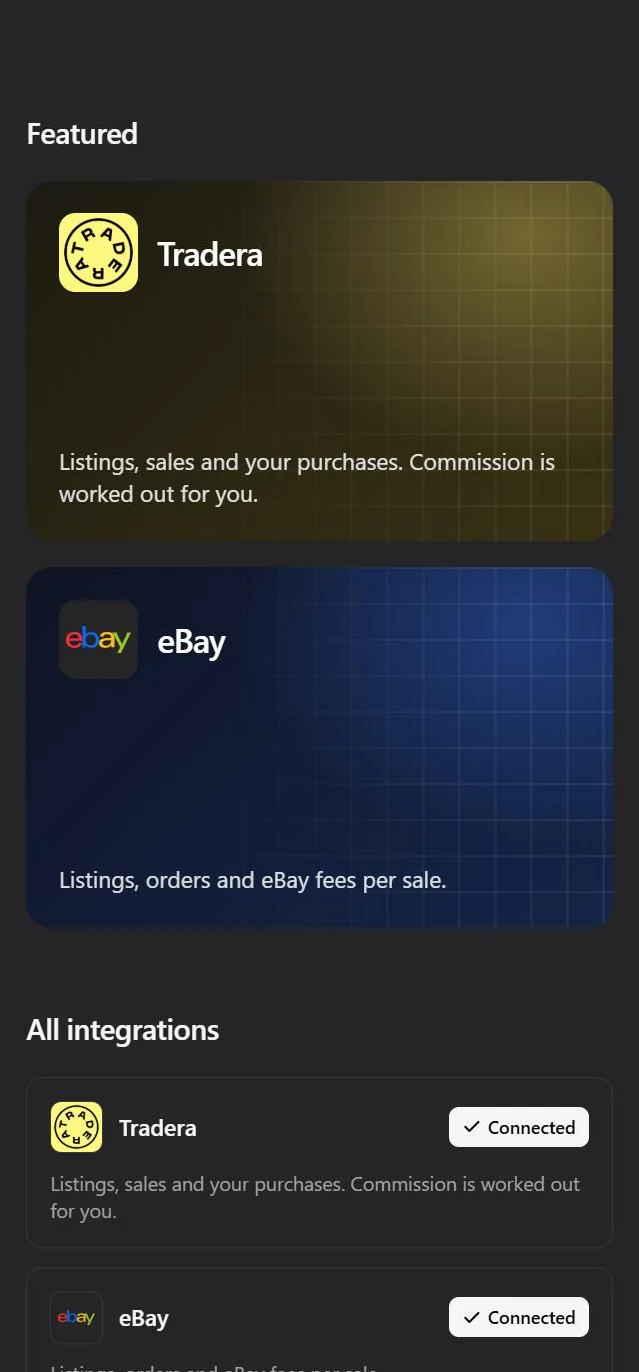
The integrations view in Qasell on a phone, with Tradera and eBay connected.

How to connect

Connected in three steps.

  1. 1

    Open Integrations

    In Qasell, go to Integrations and pick Tradera or eBay.

  2. 2

    Approve on the marketplace

    You sign in on Tradera's or eBay's own site, never with us. Qasell only gets read access.

  3. 3

    Your sales come in

    Listings, sales and purchases are fetched right away. Add what you paid for each item and the profit is worked out.

What comes in

Everything you would otherwise type in.

Tradera

  • Your listings, both active and ended, with price and picture
  • Sales with price, shipping, buyer alias and payment status
  • Payment fees per order
  • Tradera's commission, worked out for each sale
  • The things you buy on Tradera, ready to sort into stock

Read more about Tradera

eBay

  • Your active and unsold listings, with price and picture
  • Orders with price, shipping and payment status
  • eBay's own fees per order
  • Refunds, so the sale shows what you actually kept
  • Items you win on eBay, ready to sort into stock
Read more about eBay

For those who sell a lot

Less typing, more selling.

  • No double entry

    A sale on Tradera or eBay turns up in Qasell by itself. The item is marked sold and taken out of stock.

  • No duplicates

    Every order is imported once. Syncing again only updates what changed, such as a sale that has been paid.

  • Profit after fees

    Fees are taken off each sale, so you see what every item really made, not just what it sold for.

  • Purchases sorted in seconds

    What you buy lands in one list. Choose stock, sold, own use or private, and the cost goes to the right place.

Frequently asked questions

No. Qasell only reads. Nothing is listed, edited or ended on the marketplaces.

Right after you connect, and then regularly while Qasell is open. You can always press Sync now to fetch the latest at once.

Yes. Tradera and eBay do not know your purchase price, so Qasell lists the items that are missing one. Add it once and the profit is right from then on.

If the item has its Tradera or eBay link saved, Qasell matches the listing to it instead of creating a new item.

Yes. Sales on other marketplaces you log yourself, in the same place, and they count the same way in your profit.

Qasell stops fetching and deletes the access it had. Everything already imported stays, so your history is kept.