
Every drive
counts,
from pickup
to profit.



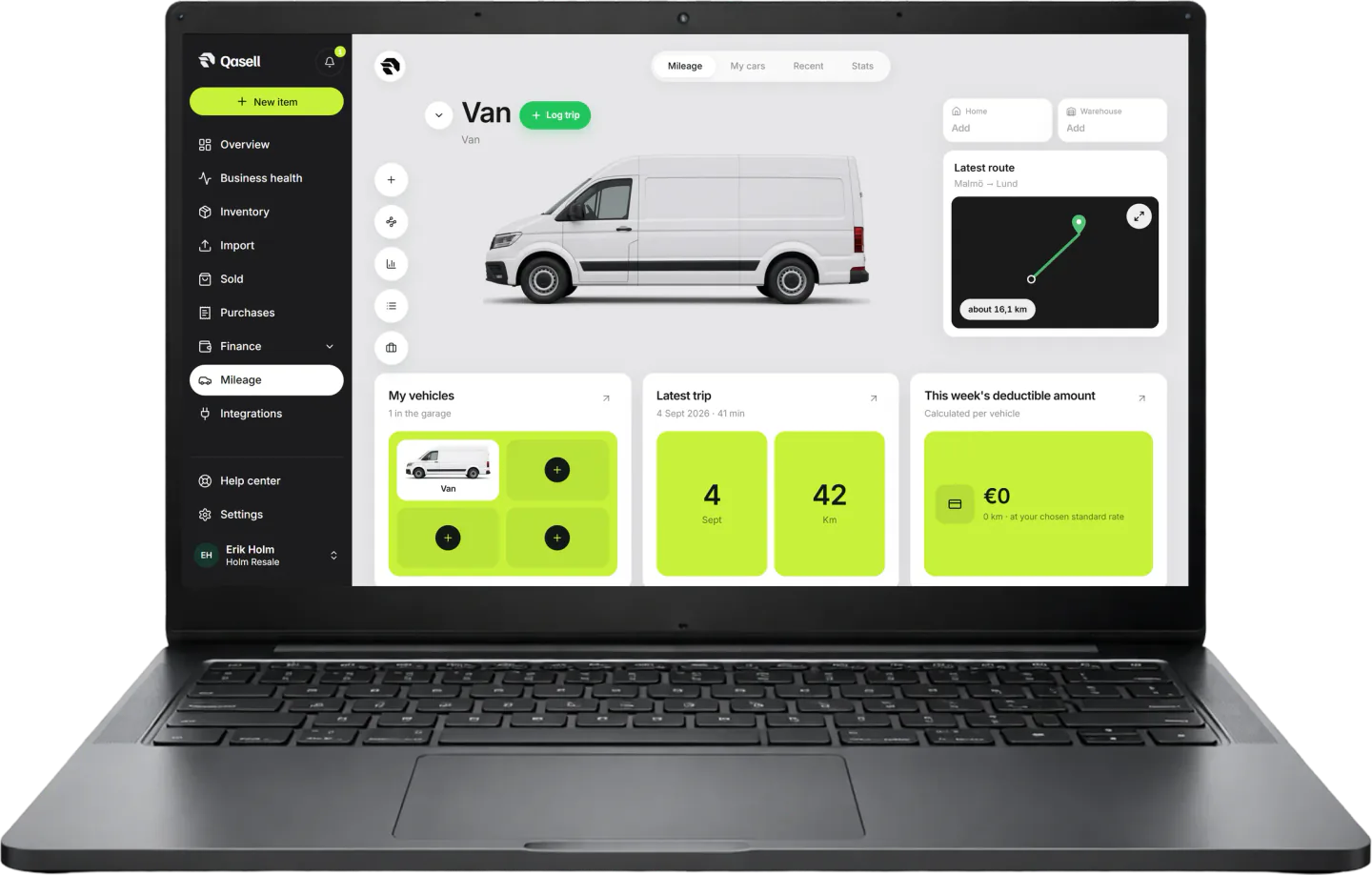
A trip log with map, mileage allowance and purpose. The drives you make for the business land in the calculation instead of in a notepad.
Leave spreadsheets todayHow mileage
works

Log the trip when you park: where you drove, how far and why.
The drive to pick up a sofa costs money, but it never shows up in a spreadsheet. In Qasell the mileage allowance lands right next to the deal.
Every month you see the distance driven and the mileage allowance, counted in your profit.
Features
Mileage that countsTrips that count, in your pocket
Trip log with map, mileage allowance and purpose. The drives land in the calculation instead of in a notepad.
Sign up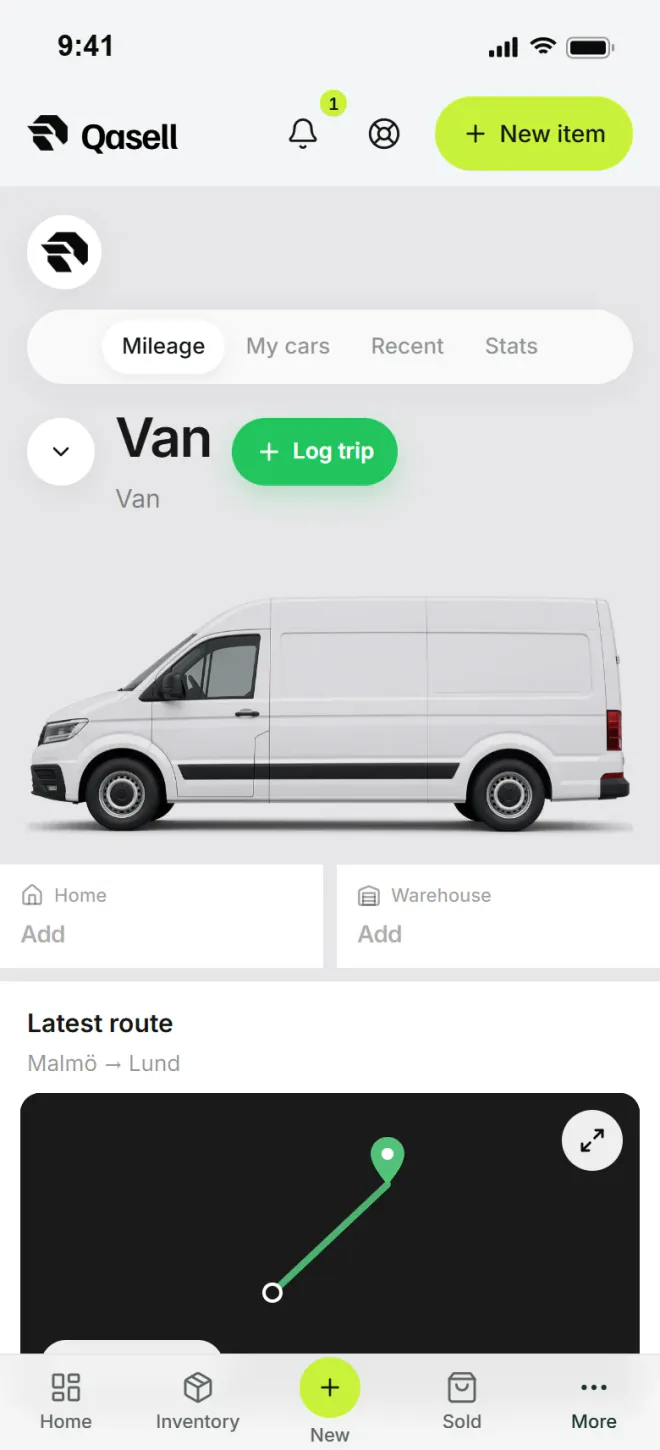
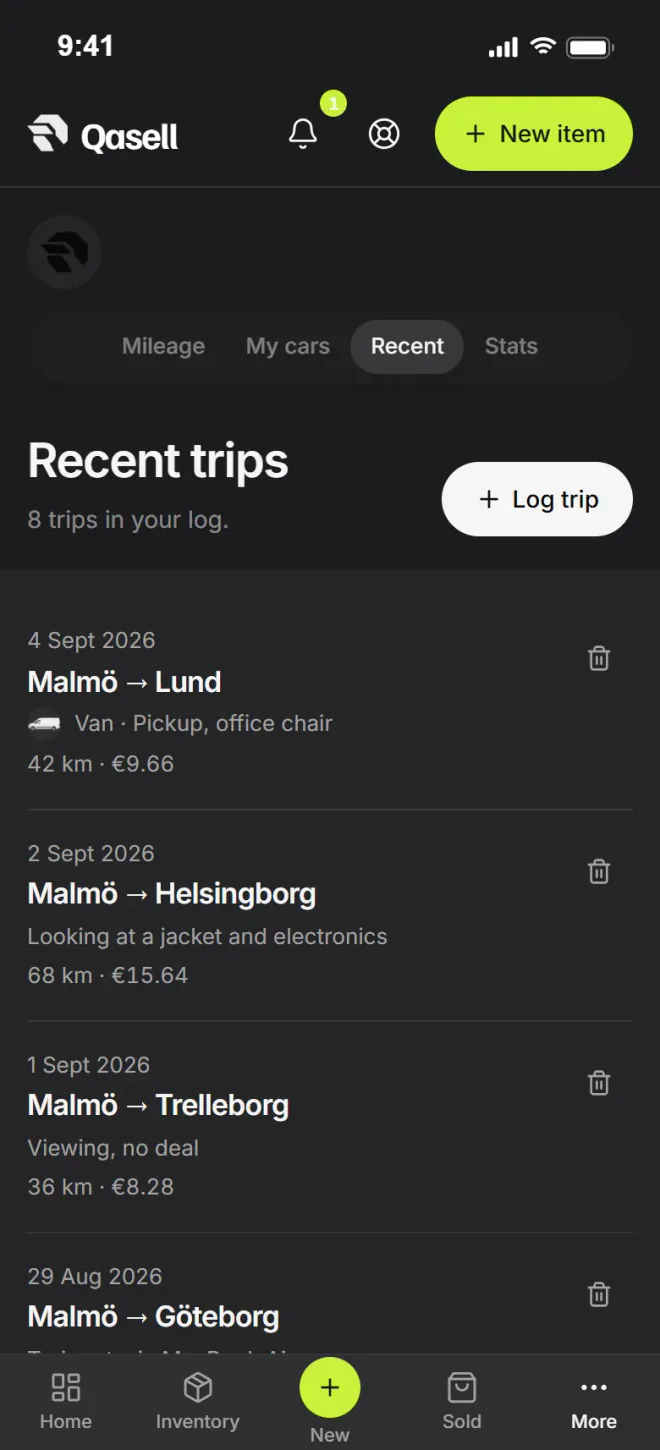

From the car into the numbers

Map

Allowance

Purpose

Month
Log the drive when you park
“Route”“Kilometres”
“Purpose”“Allowance”
How the mileage log works in Qasell
Every trip you make for the business costs money, but it rarely shows up in the numbers. Pick up a sofa 23 km away and drive back, and that is 46 km that belongs to that deal. In Qasell you log the trip when you park, and the mileage allowance is counted in your profit for the same period.
You choose the start and the destination, and Qasell works out the driving distance along the road on the map. Mark a round trip, choose the purpose (pickup, viewing, delivery or other) and link the trip to the items you picked up. Save home and storage as places, so trips you make often are quick to log.
Each vehicle has a rate per kilometre, or per mile in the UK and the US. Set the rate that applies where you are; for a company-owned vehicle you can follow the actual costs instead. With more than one vehicle, add them to the garage, each with its own type and rate.
Every month you see how far you drove, what the allowance came to and how the driving splits between pickups, viewings and deliveries.
What the mileage log includes
- Distance worked out on the map, one way or round trip
- A purpose for every trip, and trips linked to items
- A garage with several vehicles and their own rates
- Planned trips you start and finish
- Distance and allowance per month
Questions about the mileage log
Trips, mileage allowance and what driving costs.
The mileage log is a list of the trips you make for the business: from where, to where, when, how far, in which car and why. The distance is worked out on the map, and the mileage allowance is counted in your profit.
Tap New trip, choose the start, the destination and the purpose, such as pickup, viewing or delivery. Qasell works out the driving distance along the road. You can mark a round trip, link the trip to the items you picked up and save home and storage as places you drive to often.
Each vehicle has a rate per kilometre, or per mile in the UK and the US. Set the rate that applies where you are, and every trip is multiplied by it. For a company-owned vehicle you can follow the actual costs instead.
Yes. Add your vehicles to the garage and choose which one you drove on each trip. Each vehicle has its own type and rate.
Yes. Save a trip as planned, start it when you leave and mark it as done when you are back. Only completed trips are counted in the distance and the allowance.
The mileage log with map is included in Pro and Business.